
Most sites that offer “free” ACH forms either hit you with a paywall at the last step, force you to create an account, or hand you a poorly formatted document that looks nothing like something you’d trust with banking information.
This page offers two free, fully editable ACH Authorization Form templates in Google Docs — no sign-up, no subscription, no catch.
Click Get This Template below, preview it in a new tab, then click Use Template to save a copy to your Google Drive.
Table of Contents
- What Is an ACH Authorization Form?
- Why These Templates Are Better
- What the Template Covers
- Free ACH Authorization Form Templates
- How to Use These Templates
- Frequently Asked Questions
What Is an ACH Authorization Form?
An ACH Authorization Form — also called a Direct Deposit Authorization Form or ACH Debit Authorization Form — is a document that gives a business or individual permission to electronically withdraw funds from a customer’s bank account.
ACH forms are commonly used for:
- Recurring subscription billing
- Loan repayments and installment plans
- Utility and service payments
- Payroll direct deposit
- Rent and mortgage collection
Under NACHA Operating Rules, businesses must obtain written or verifiable authorization before initiating an ACH debit from a customer’s account. A signed ACH Authorization Form is the standard way to meet this requirement — and to protect your business from chargeback disputes.
Why These Templates Are Better
There’s no shortage of ACH templates online — but most fall short in one way or another. Here’s what makes these different:
- Completely free — no hidden costs, no premium tier.
- No sign-up required — access instantly without creating an account on this site.
- Professional design — clean, polished layouts that look appropriate for real financial transactions.
- Fully editable in Google Docs — customize every field to match your business or personal needs.
- Print-ready — formatted correctly so it looks right on paper, not just on screen.
What the Template Covers
Both templates include all fields required for compliant, professional ACH payment authorization.
Customer Information
Full name, email address, street address, city, state, ZIP code, and phone number.
Payment Details
Payment amount, frequency (one-time or recurring), process date, and number of installments.
Bank Account Information
Financial institution name, routing number (9 digits), account number, and account type — with checkboxes for Checking or Savings.
Authorization and Recourse Statement
A clear Authorization Statement that the customer signs to approve the payment, along with a Recourse Rights section outlining the customer’s legal protections in the event of an unauthorized transaction. This language is important for NACHA compliance and dispute resolution.
Signature and Date
A dedicated signature block at the bottom finalizes the authorization and makes the document binding once signed.
Free ACH Authorization Form Templates
ACH Form Template — Black and White Version
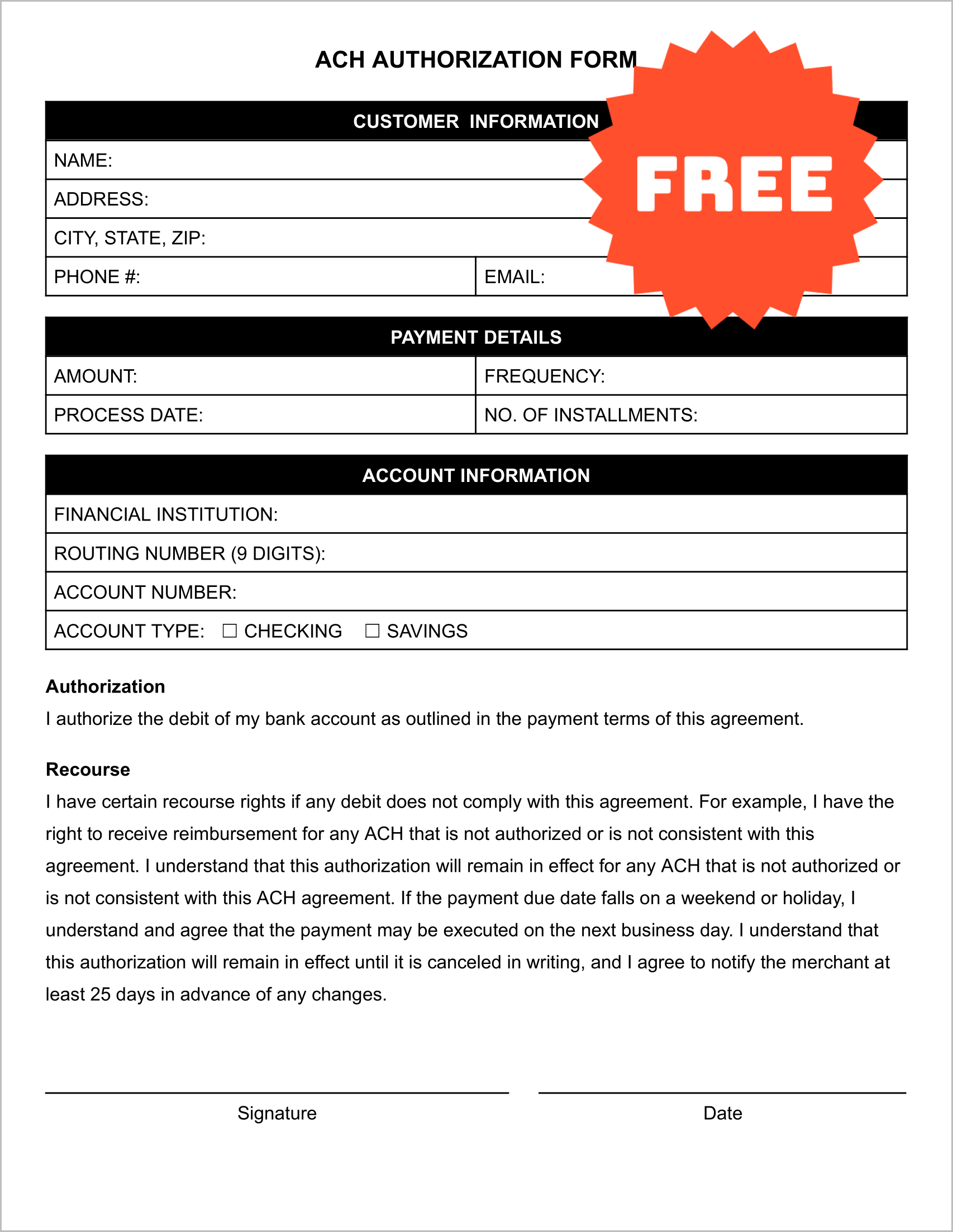
A clean, professional black-and-white layout built for straightforward printing and filling. All essential fields are included with clear labeling and logical section order. Best for businesses that print and collect forms in person, or that want a simple, no-frills authorization document.
ACH Form Template — Color Version
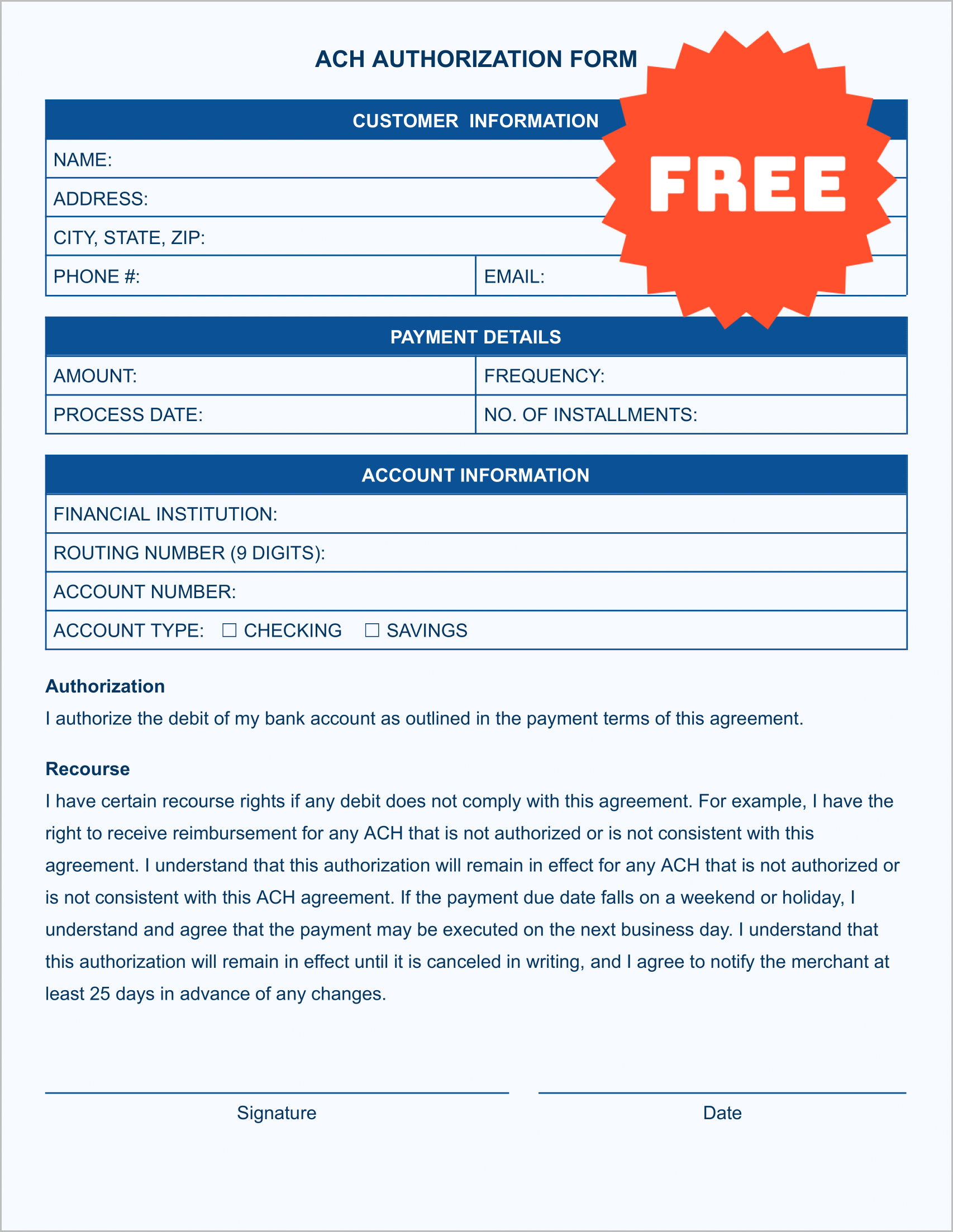
The same complete template with a polished blue color scheme for a more branded, professional appearance. Best for businesses that share the form digitally via email or customer portals, or that want a more visually refined document.
How to Use These Templates
- Click “Get This Template” — Use the button next to the version you want.
- Select “Use Template” in Google Docs — This creates your own editable copy. The original stays untouched.
- Customize and collect — Fill in your business details, then either print the form and collect a handwritten signature, or complete it digitally and share it with your customer.
Frequently Asked Questions
Is an ACH Authorization Form legally required?
Under NACHA Operating Rules, businesses must obtain written or verifiable authorization before initiating an ACH debit from a customer’s account. A signed ACH Authorization Form is the standard way to meet this requirement and protect your business from unauthorized transaction disputes.
What’s the difference between ACH debit and ACH credit?
An ACH debit pulls funds from a customer’s account — used for bill payment and subscriptions. An ACH credit pushes funds into an account — used for payroll and refunds. This template covers ACH debit authorization.
Can I use this form for recurring payments?
Yes. The template includes a Payment Frequency field and a Number of Installments field specifically designed for recurring billing scenarios.
Is this form NACHA-compliant?
The template includes standard authorization and recourse language consistent with NACHA guidelines. That said, you should review it with a payments or legal professional to confirm it meets your specific business and payment processor requirements.
Do I need a Google account to use this template?
You need a Google account to make a copy in Google Docs, but you do not need to create any account on this website or pay anything to access the template.
NOTICE: This template and all information on this page are provided for educational and informational purposes only and do not constitute legal or financial advice. Always consult a licensed attorney or payments professional to confirm this form meets your specific business and regulatory requirements.