
Tracking employee hours accurately is the foundation of a healthy payroll system.
Whether you are a small business owner, a freelancer, or a manager, having a standardized way to record “clock-in” and “clock-out” times prevents disputes and ensures fair compensation.
To help you streamline your payroll process, we have curated a bundle of 5 Free Printable Weekly Time Sheet Log Templates.
These PDF forms cover various needs, from simple time-in/time-out logs to detailed sheets that track lunch breaks and overtime authorizations.
Below is a detailed guide to the 5 unique layouts included in this free download.
1. Weekly Time Sheet Log Template-1
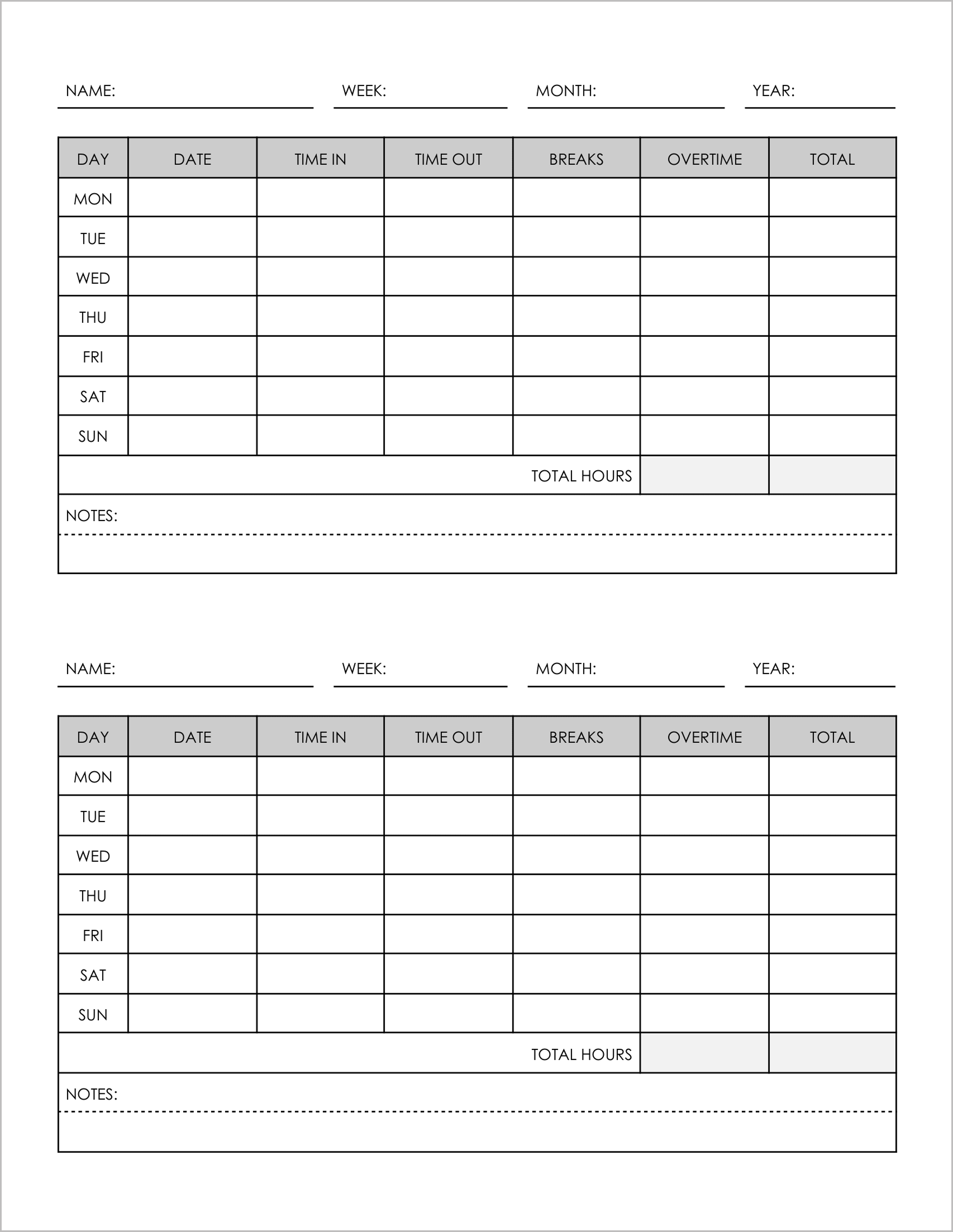
Best for: Simple hourly tracking with break deductions.
This template is designed for simplicity and efficiency. It fits two time sheets per page, saving paper.
- Break Tracking: It includes a dedicated column for “Breaks”, allowing you to easily deduct unpaid lunch hours from the daily total.
- Weekly View: The table lists Monday through Sunday, with columns for “Time In”, “Time Out”, and “Overtime”.
- Summary Section: A “Notes” section at the bottom allows employees to explain absences or specific project details.
2. Weekly Time Sheet Log Template-2
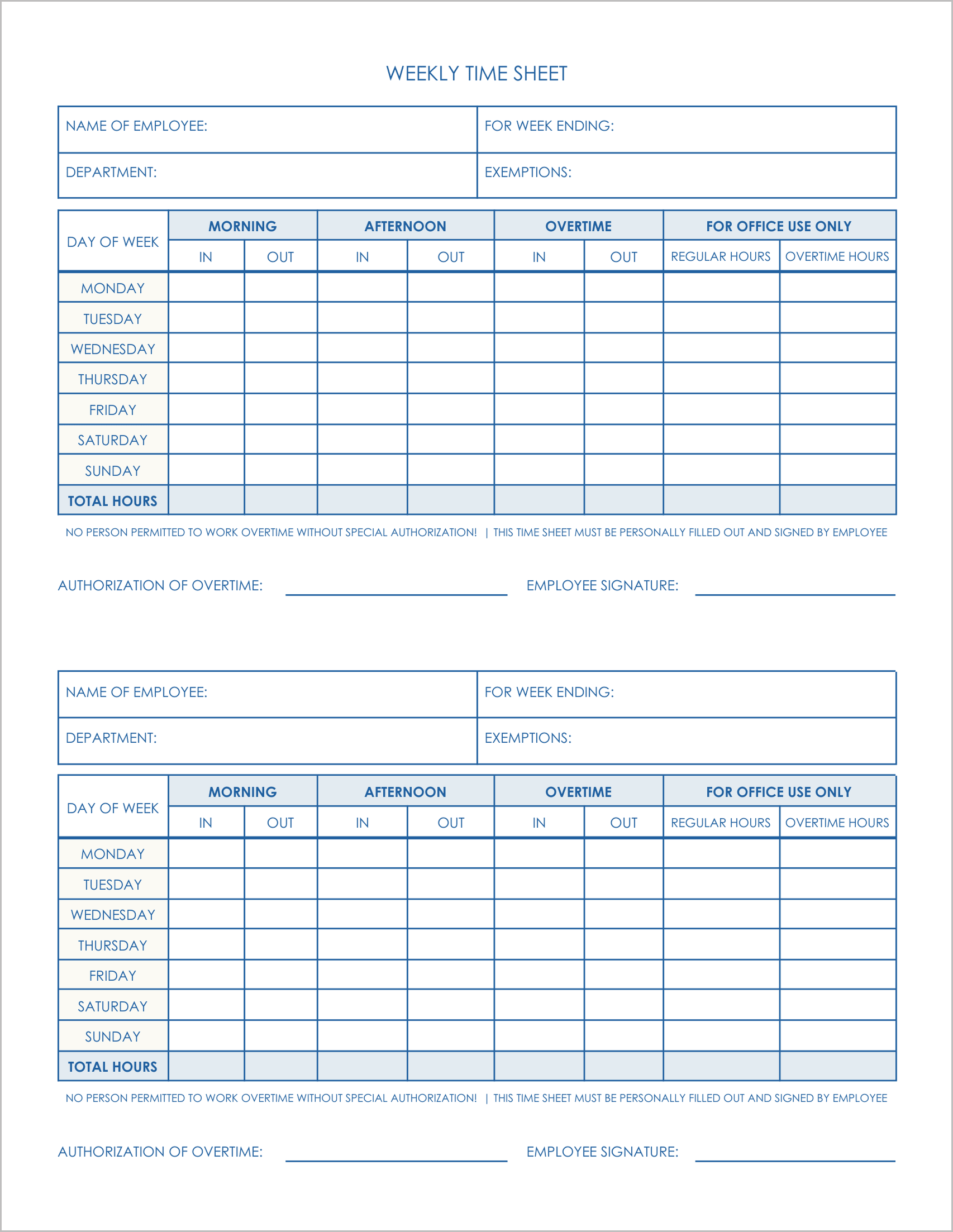
Best for: Shifts with split schedules (Morning/Afternoon).
If your employees clock out for lunch and clock back in, this template is ideal.
- Split Shifts: The table is divided into “Morning” (In/Out) and “Afternoon” (In/Out) sections. This captures the exact lunch duration rather than just a total break time.
- Office Verification: It includes a “For Office Use Only” column for payroll managers to calculate Regular vs. Overtime hours.
- Authorization: The bottom features a signature line for “Authorization of Overtime” , ensuring budget control.
3. Weekly Time Sheet Log Template-3
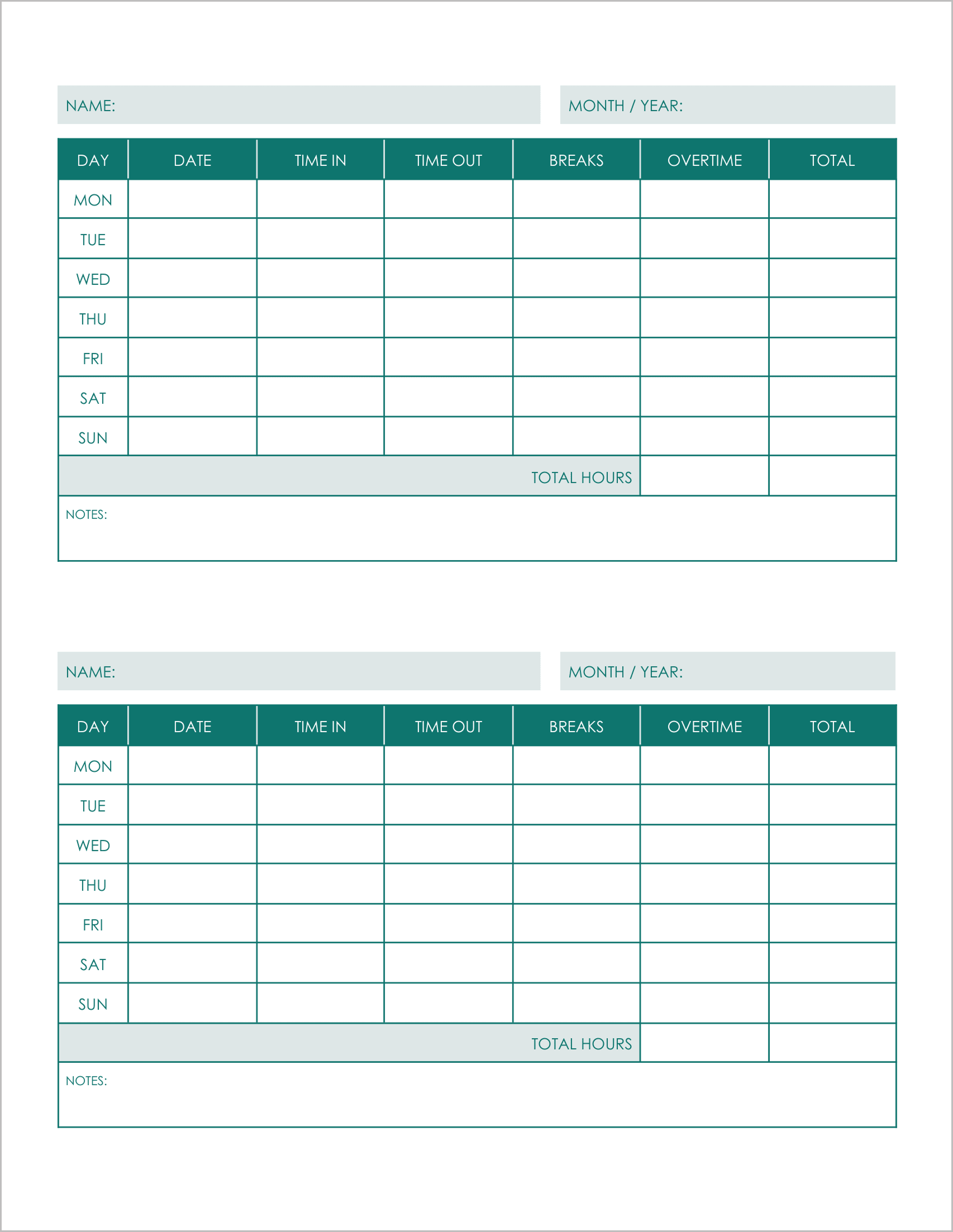
Best for: Freelancers and month-to-month contractors.
This template is similar to Template #1 but features a slightly cleaner header for flexible use.
- Simplified Header: Instead of separate fields for Week/Year, it asks for “Month / Year”, making it great for contractors who submit invoices periodically.
- Double Layout: It prints two logs per page, maximizing paper usage.
- Essential Data: Tracks “Time In,” “Time Out,” “Breaks,” and “Total” in a straightforward grid without complex departmental codes.
4. Weekly Time Sheet Log Template-4
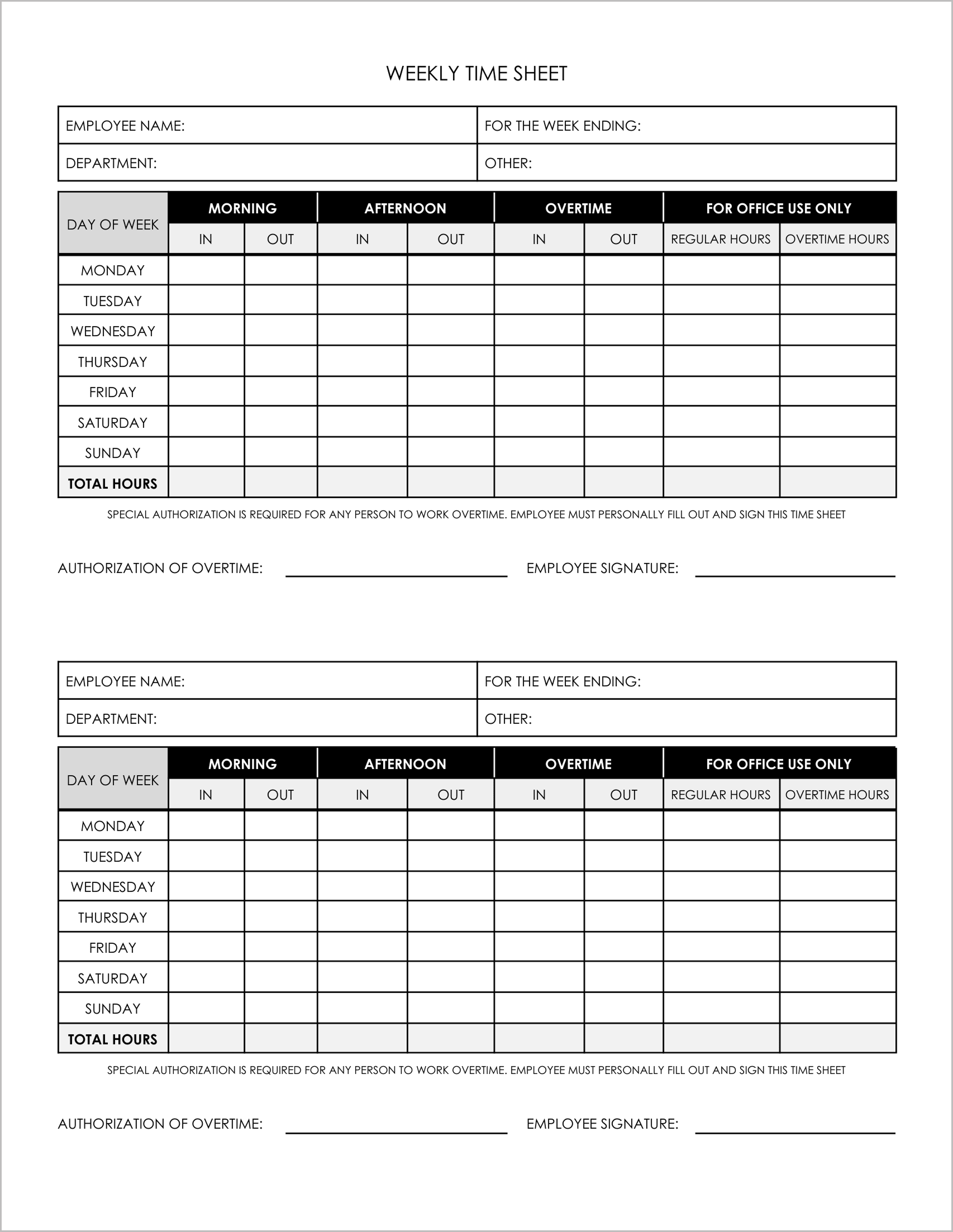
Best for: Corporate departments with strict overtime rules.
This template focuses on compliance and departmental organization.
- Departmental Tracking: The header includes specific fields for “Department” and “Other”, helping larger companies sort payroll by team.
- Strict Compliance: It includes a mandatory disclaimer: “Special Authorization is Required for Any Person to Work Overtime”.
- Detailed Grid: Like Template #2, it splits the day into Morning and Afternoon blocks to ensure precise attendance tracking.
5. Weekly Time Sheet Log Template-5
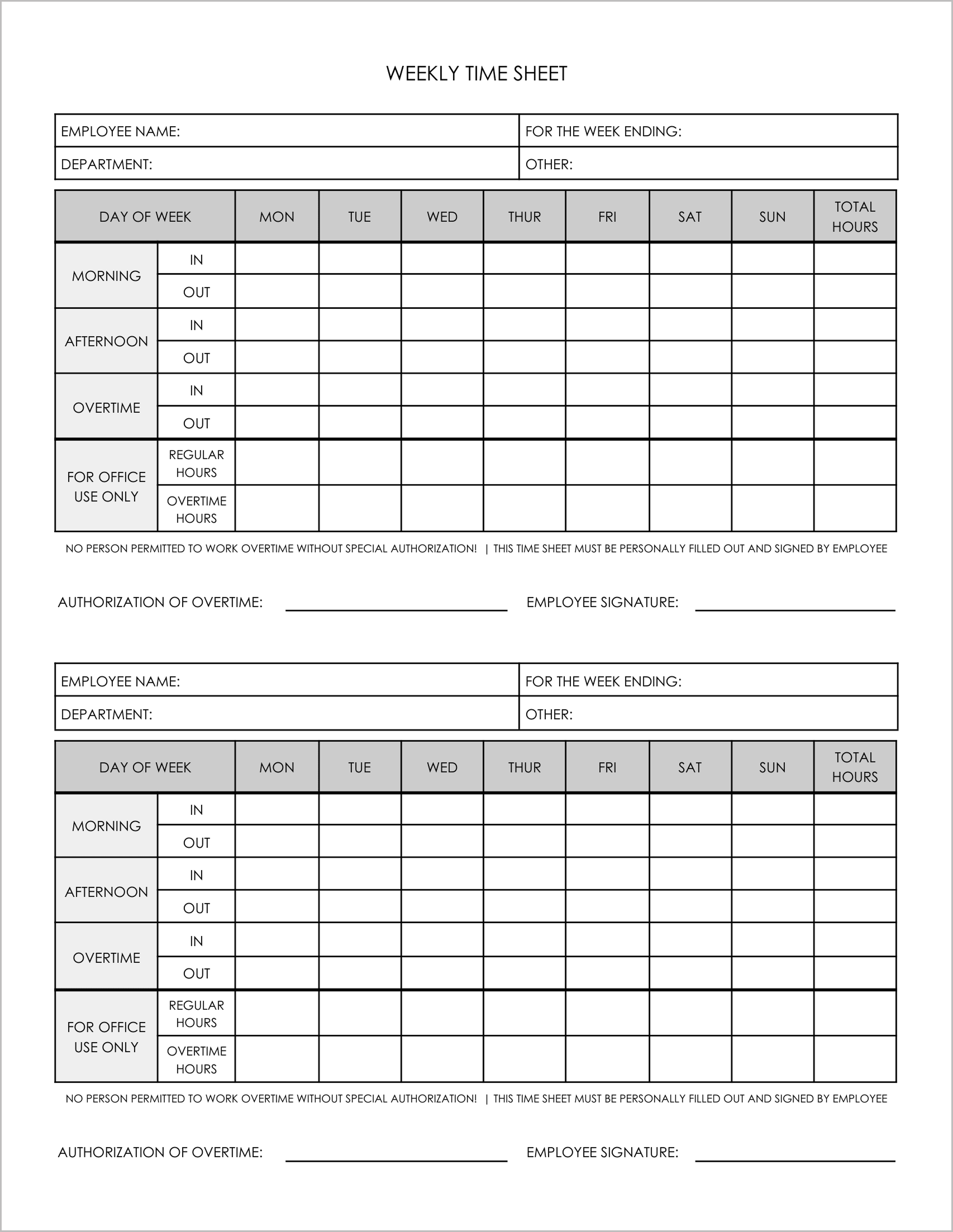
Best for: Visualizing the week at a glance.
This template flips the standard layout on its head. Instead of listing days as rows, it lists them as columns.
- Horizontal Layout: The days of the week (Mon-Sun) are the column headers, while the rows represent “Morning In/Out” and “Afternoon In/Out”.
- Compact Data: This grid format is excellent for quick visual checks of an employee’s attendance pattern across the week.
- Payroll Ready: The bottom row calculates “Total Hours” for each day, making the final tally easy to read.