

An open house is more than just a tour; it is a live audition for your next client. However, managing the chaos of visitors while trying to qualify leads can be overwhelming.
If you don’t capture the right information at the door, you lose the ability to follow up effectively.
Real estate agents need sign-in sheets that do the heavy lifting for them. To help you convert casual lookers into serious clients, we have designed a bundle of 5 Free Printable Open House Sign-In Templates.
These PDF forms range from high-density registers for busy Sundays to detailed questionnaires that help you pre-qualify buyers on the spot.
Below is a detailed guide to the 5 unique layouts included in this free download.
1. The Standard Lead Capture
Best for: Routine open houses and general data collection.
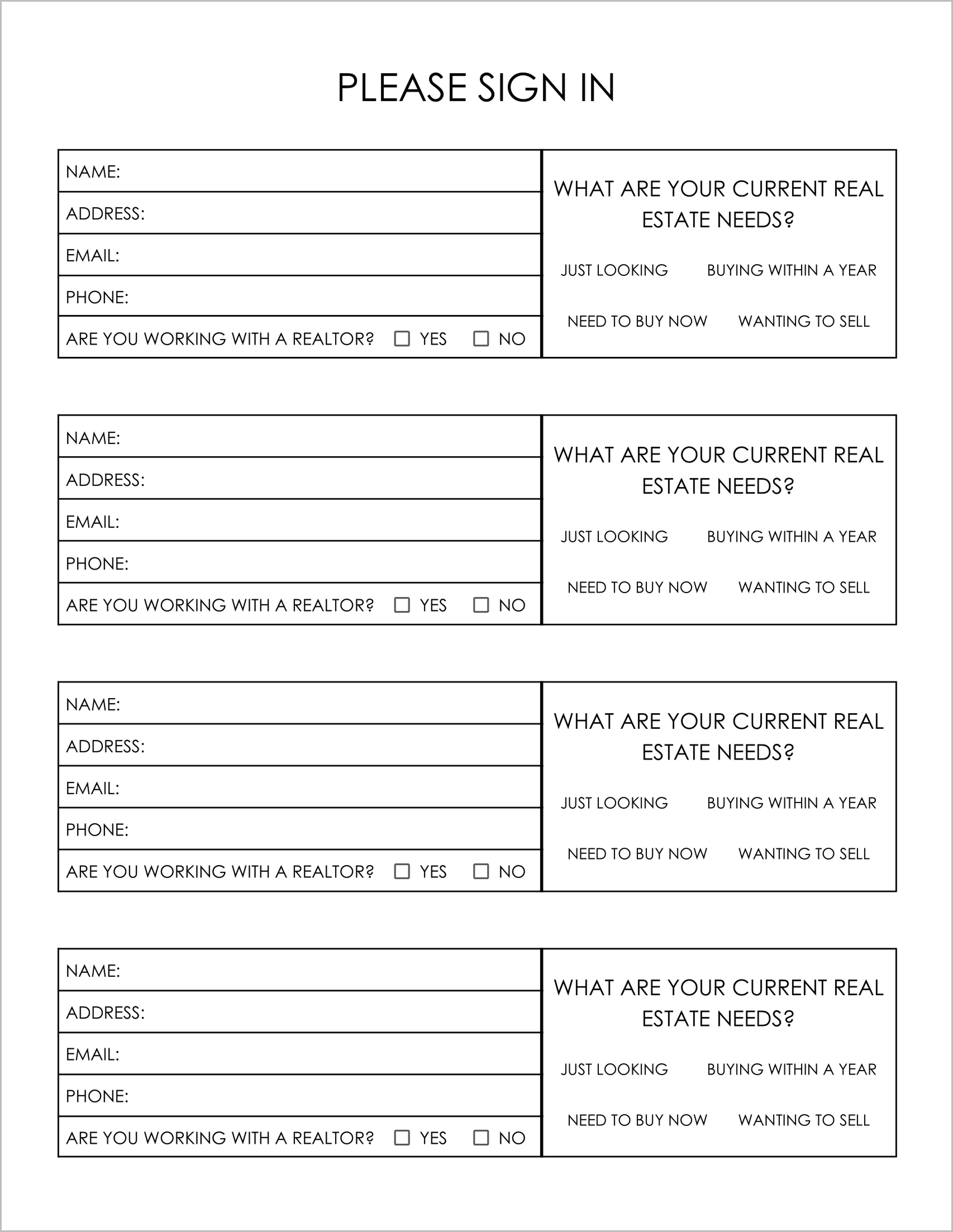
This is your reliable, everyday sign-in sheet. It features a clean, vertical layout that fits 4 visitors per page.
It captures the essential contact info (Name, Address, Email, Phone) and asks the “Big 4” questions regarding their needs: “Just Looking,” “Buying Within a Year,” “Need to Buy Now,” or “Wanting to Sell” .
It also creates a clear boundary by asking, “Are you working with a realtor?”, which saves you from accidentally stepping on another agent’s toes.
2. The Financial Qualifier Log
Best for: Identifying serious buyers and financing readiness.
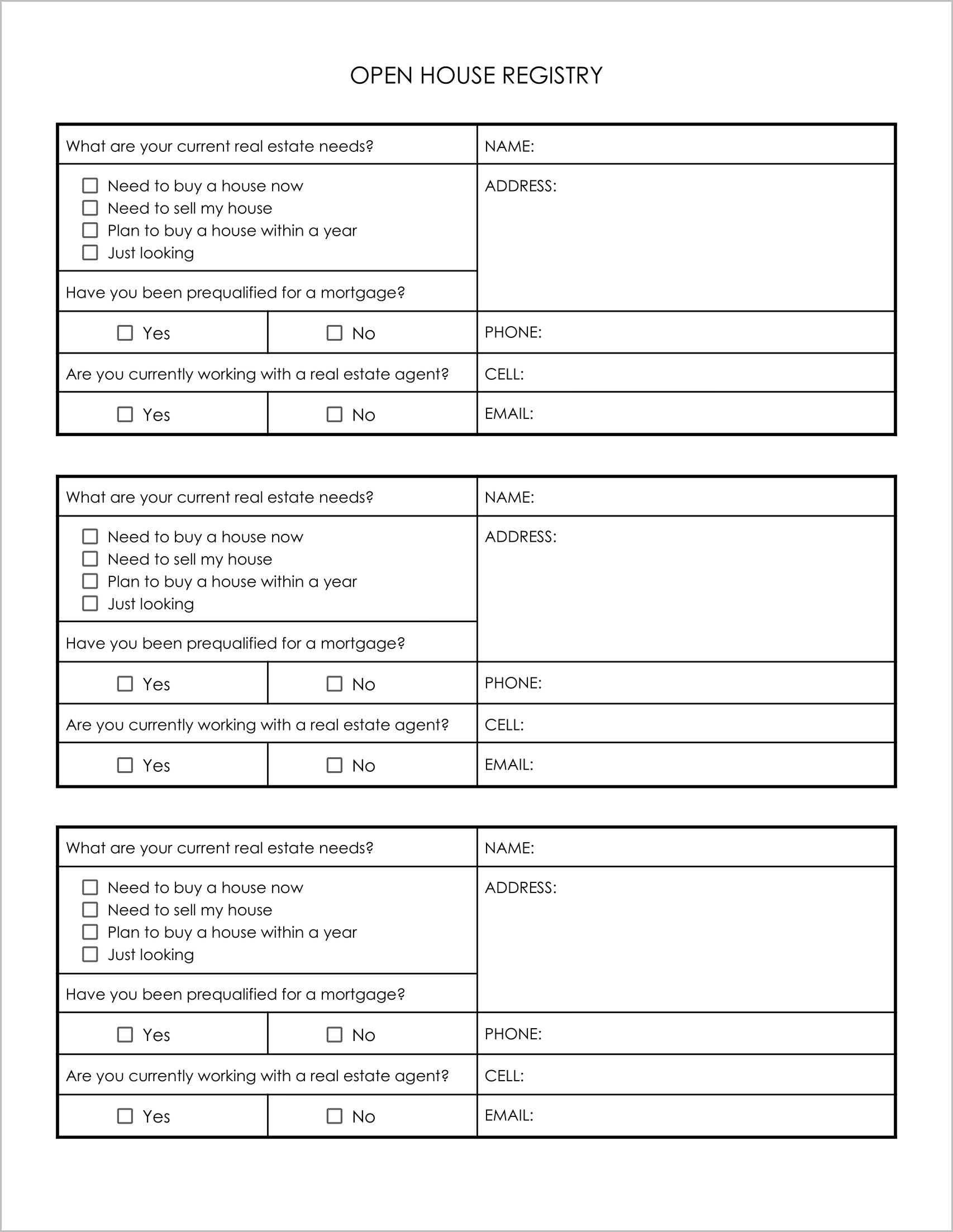
Time is money. When you have 20 people in a living room, you need to know who is ready to write an offer. This template digs deeper than the standard contact form.
- Mortgage Status: It explicitly asks, “Have you been prequalified for a mortgage?”. This instantly tells you if the lead is actionable or just starting their journey.
- Detailed Needs: It allows guests to check “Need to sell my house”, flagging them as potential double-ended deals (listing and buying).
- Cell Phone Field: It specifically requests a “Cell” number, encouraging text message follow-ups, which often have higher open rates.
3. The “Listing Lead” Detector
Best for: Targeting neighbors and potential sellers.
Nosy neighbors often come to open houses to compare their home’s value to the one you are showing. Instead of dismissing them, use this template to capture them.
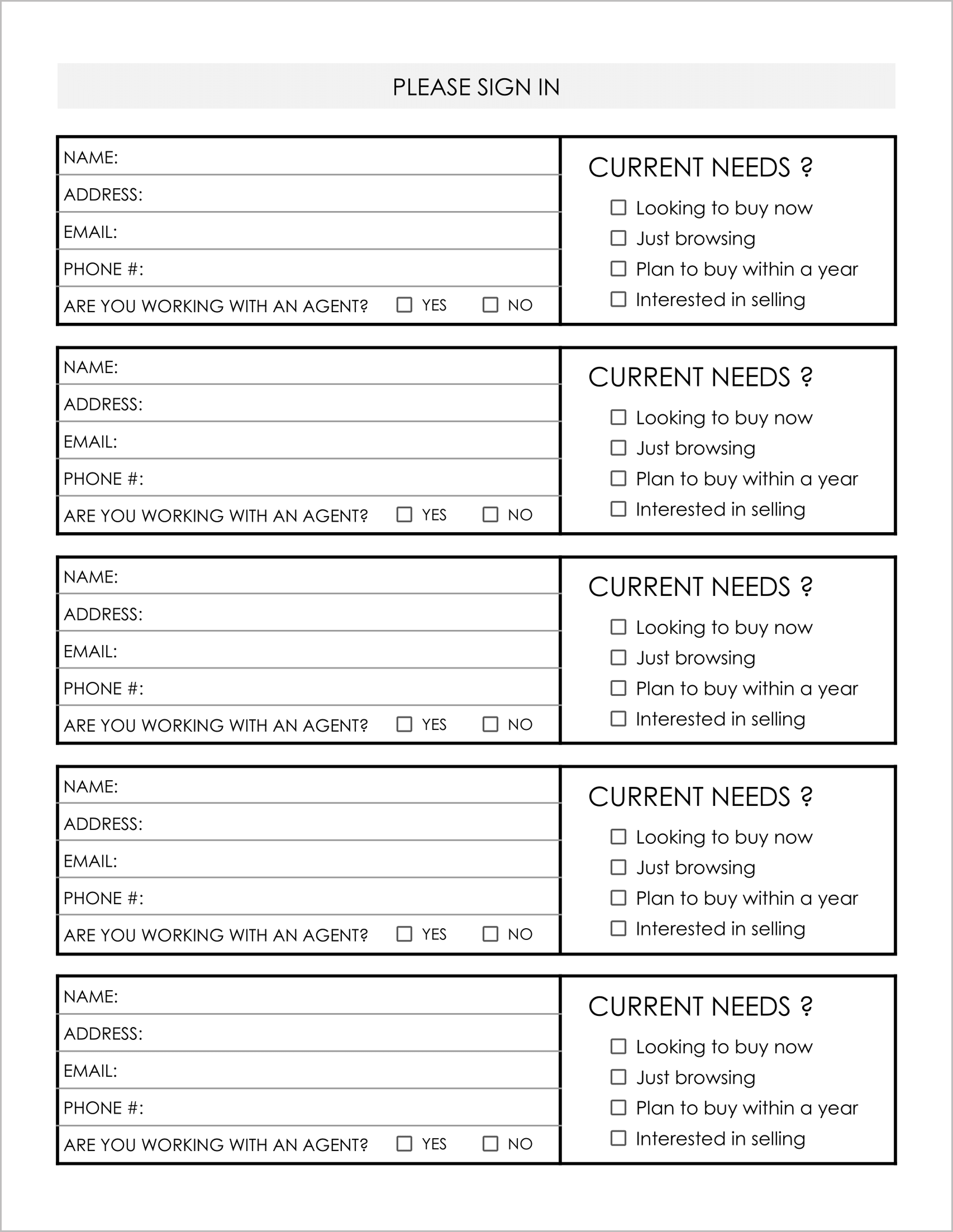
- Seller Focus: It includes a prominent “Interested in selling” checkbox under the “Current Needs” section.
- Compact Design: The layout stacks the “Current Needs” questions to the right of the contact info , making the form feel shorter and less intimidating to fill out.
- Agent Verification: A simple “Are you working with an agent? Yes/No” helps you quickly identify unrepresented leads.
4. The Marketing & Feedback Ledger
Best for: Luxury listings and tracking ad ROI.
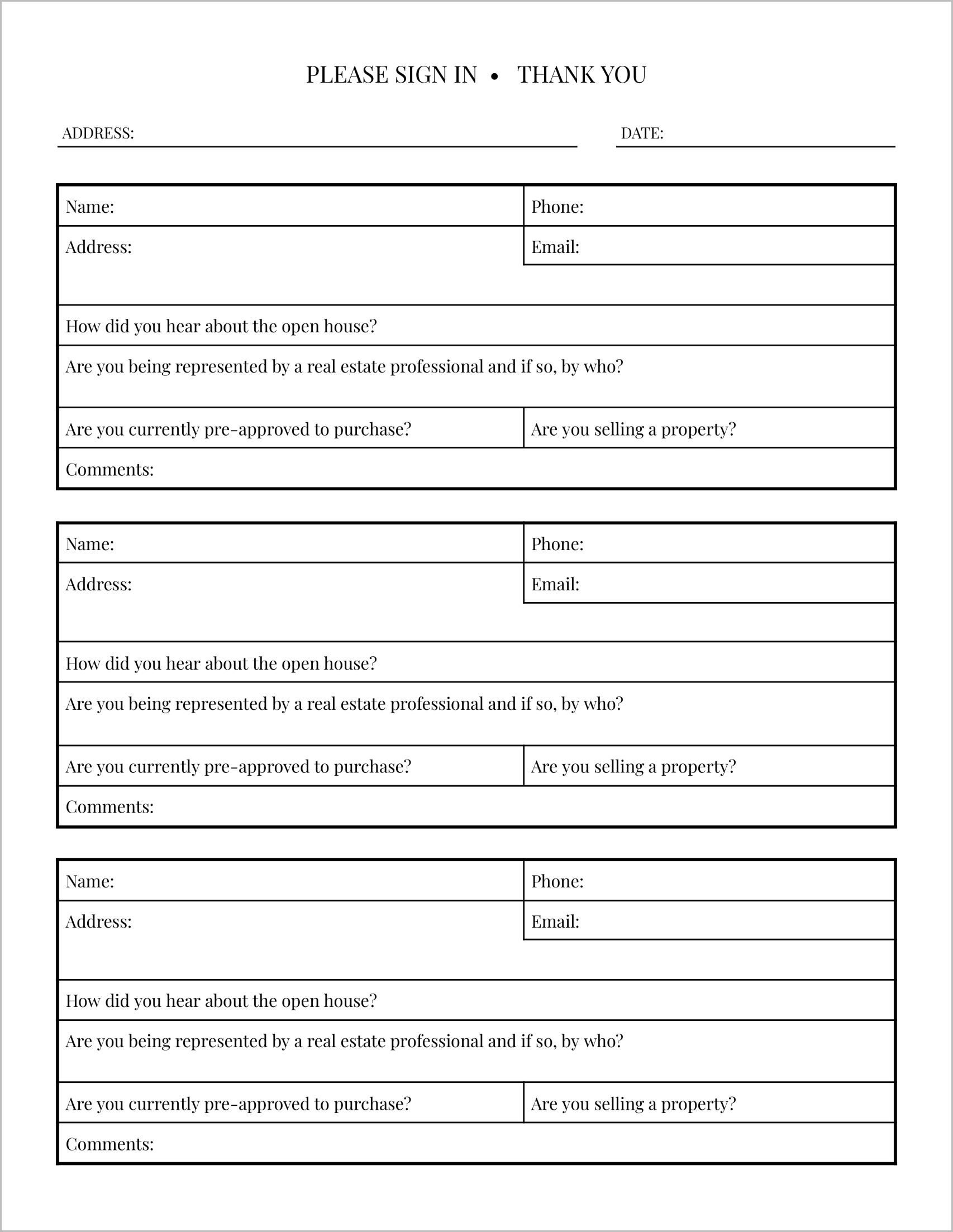
If you are spending money on Facebook ads or Zillow boosts, you need to know if they are working. This template is designed to track the source of the lead.
- Source Tracking: It features the critical question: “How did you hear about the open house?”.
- Qualitative Feedback: It includes a “Comments” section, allowing visitors to leave immediate feedback on the price or condition of the property.
- Representation Detail: Instead of a yes/no checkbox, it asks, “Are you being represented by a real estate professional and if so, by who?”, giving you the specific agent’s name for follow-up.
5. The High-Traffic Register
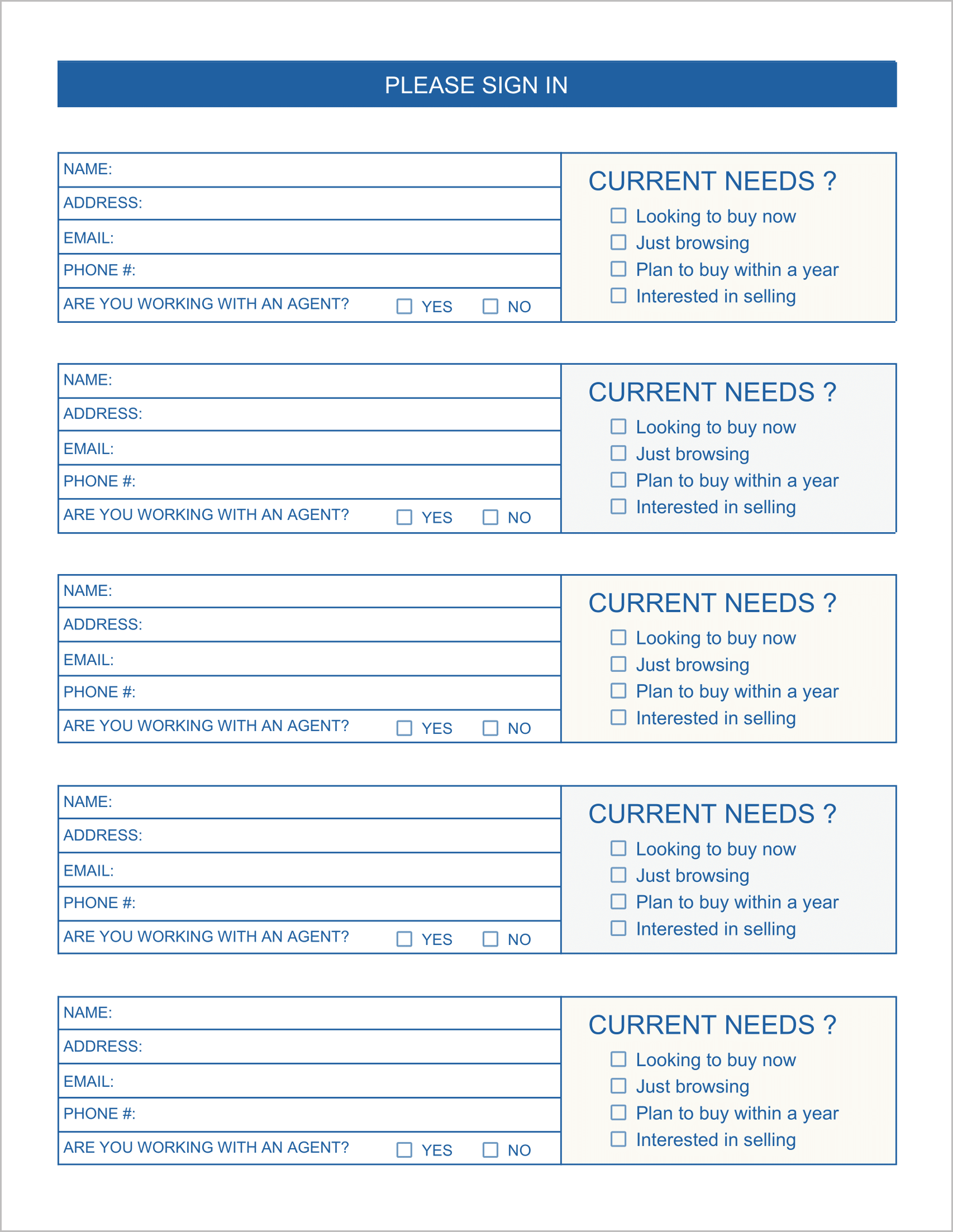
Best for: Busy open houses with heavy foot traffic.
When the door is constantly opening, you don’t want a line forming just to sign in. You need density.
- Maximum Efficiency: This template fits 5 visitors per page, reducing the number of clipboards or page flips required.
- Quick Checkboxes: The “Current Needs” section is streamlined to simple checkboxes like “Looking to buy now” or “Just browsing”, allowing guests to sign in and enter the home in seconds.