
Site security is non-negotiable. Whether you manage a manufacturing plant, a school, or a construction site, you need to know exactly who is on your premises at all times.
Contractors—unlike employees—are often unfamiliar with your safety protocols, making it vital to document their presence, their contact info, and their reason for visiting.
To help you manage site access and liability, we have curated a bundle of 5 Free Printable Contractors Signing In and Out Log Templates.
These PDF forms range from simple monthly registers to detailed service tickets that track specific work performed.
Below is a detailed guide to the 5 unique layouts included in this free download.
1. Contractors Signing In and Out Log Template-1
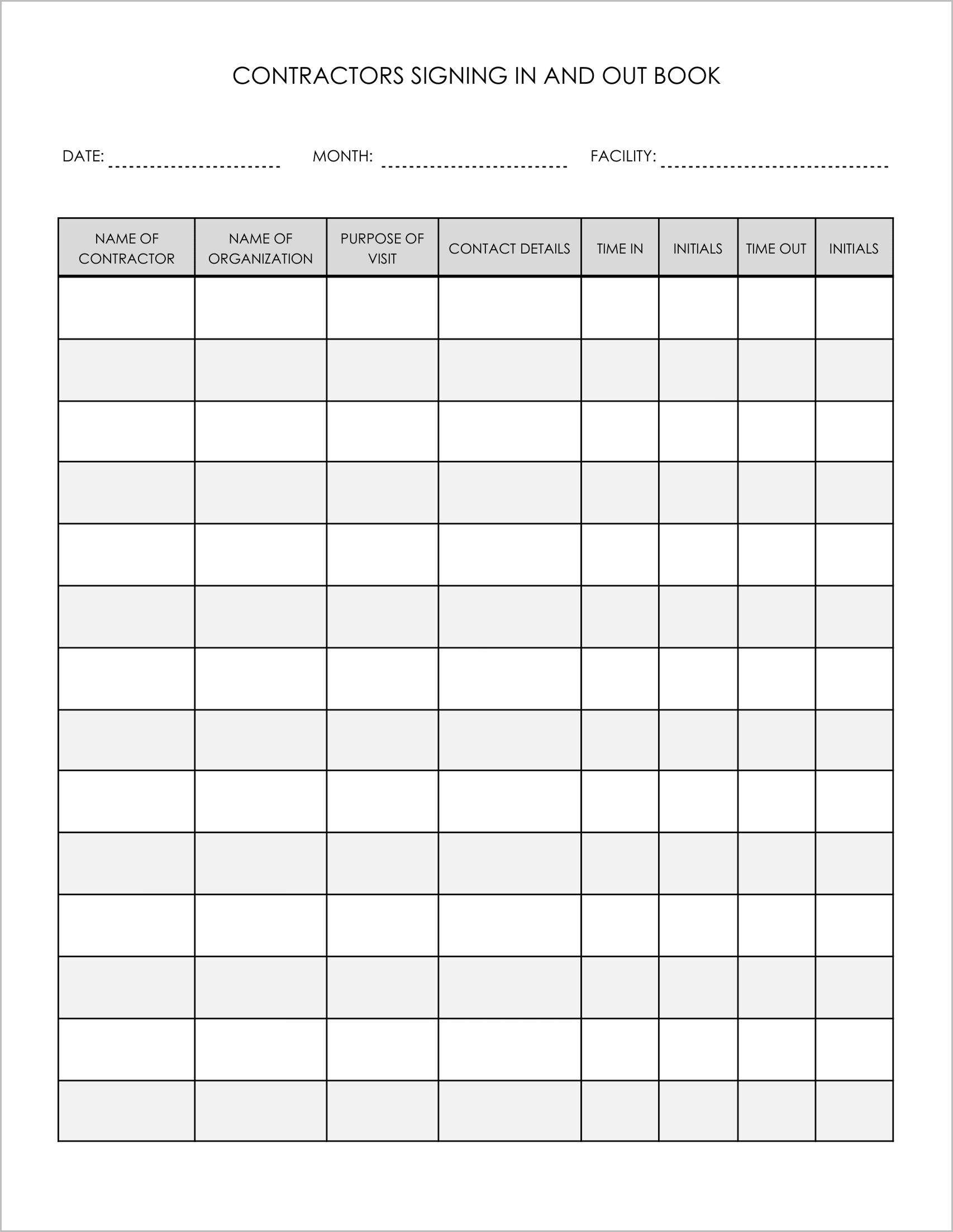
Best for: General facility security.
This is a comprehensive visitor log designed for reception desks or security checkpoints.
- Visitor Details: It tracks both the “Name of Contractor” and the “Name of Organization”, ensuring you know exactly which company is on-site.
- Intent: The “Purpose of Visit” column helps security staff screen visitors before granting access.
- Emergency Contact: A dedicated “Contact Details” column ensures you have a phone number to call if the contractor is involved in an incident or emergency.
2. Contractors Signing In and Out Log Template-2
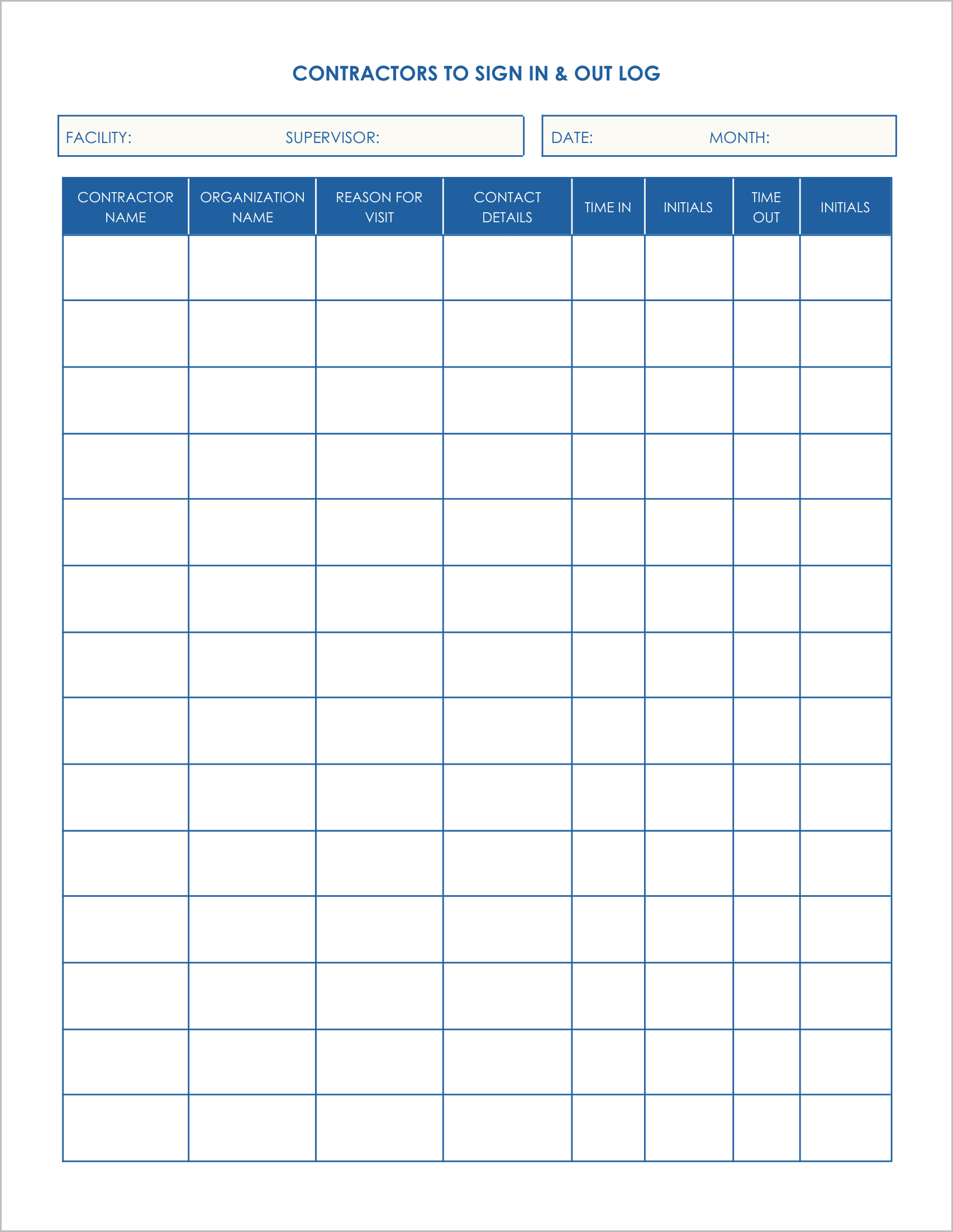
Best for: Sites requiring management oversight.
This template is similar to the first but adds a layer of accountability for the facility management team.
- Supervisor Tracking: The header includes a specific field for “Supervisor”, identifying the internal employee responsible for overseeing the contractors that day.
- Clear Authorization: It tracks the “Reason for Visit” and uses an “Initials” system for both checking in and checking out.
- Clean Layout: The table format is spacious, making it easy to read handwritten entries during a safety audit.
3. Contractors Signing In and Out Log Template-3
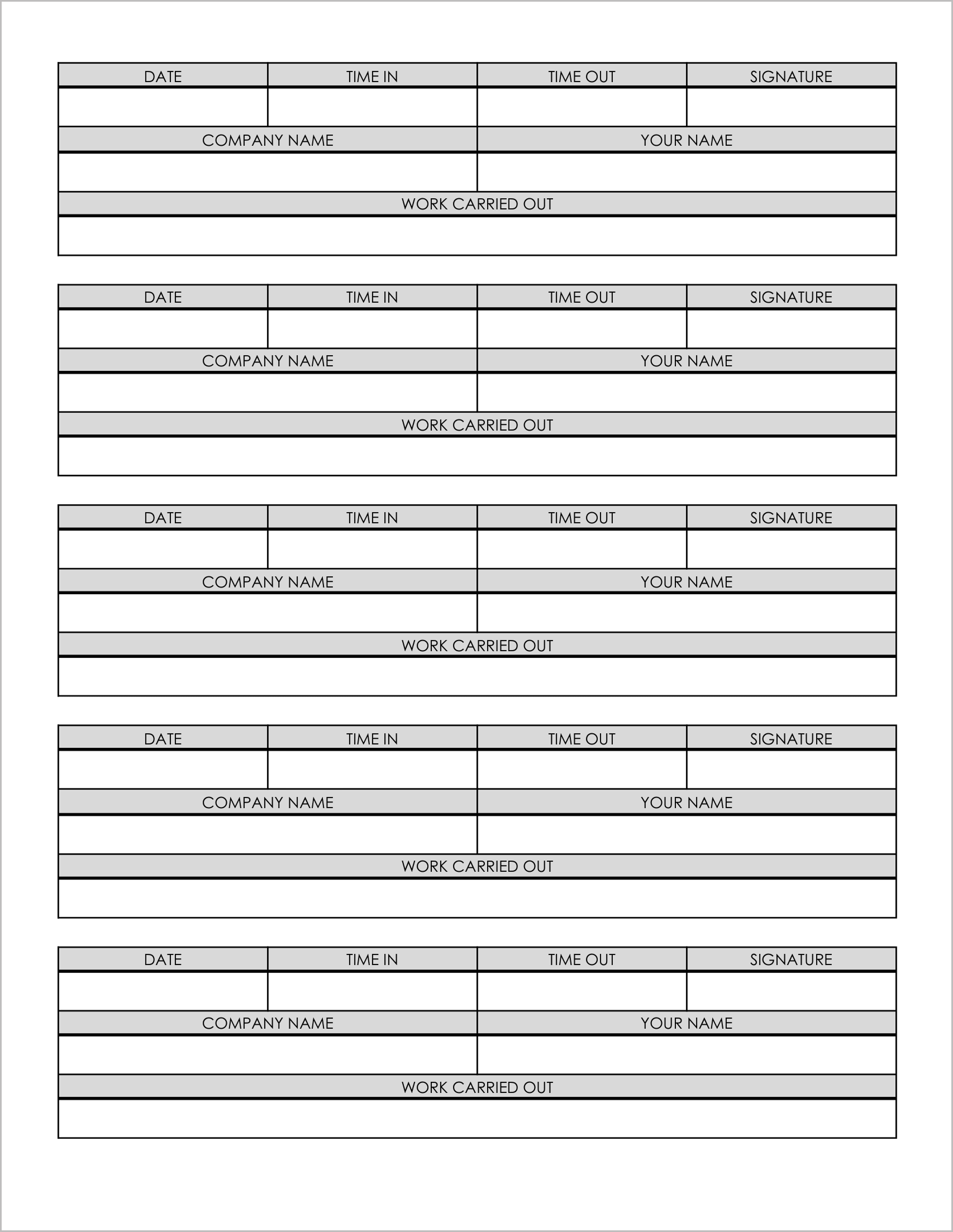
Best for: Documenting work completed (Service Tickets).
This template is not just a list; it acts like a series of individual work tickets or passes.
- Work Verification: The key feature is the prominent “Work Carried Out” section . This allows the contractor to briefly describe the repair or service they completed (e.g., “Fixed AC Unit 4”).
- Double Signature: It requires a “Signature” from the contractor, acting as a verification that the work was done and safety protocols were followed .
- Segmented Layout: The page is divided into distinct blocks rather than a continuous spreadsheet, separating each visit clearly.
4. Contractors Signing In and Out Log Template-4
Best for: Detailed maintenance records and invoices.
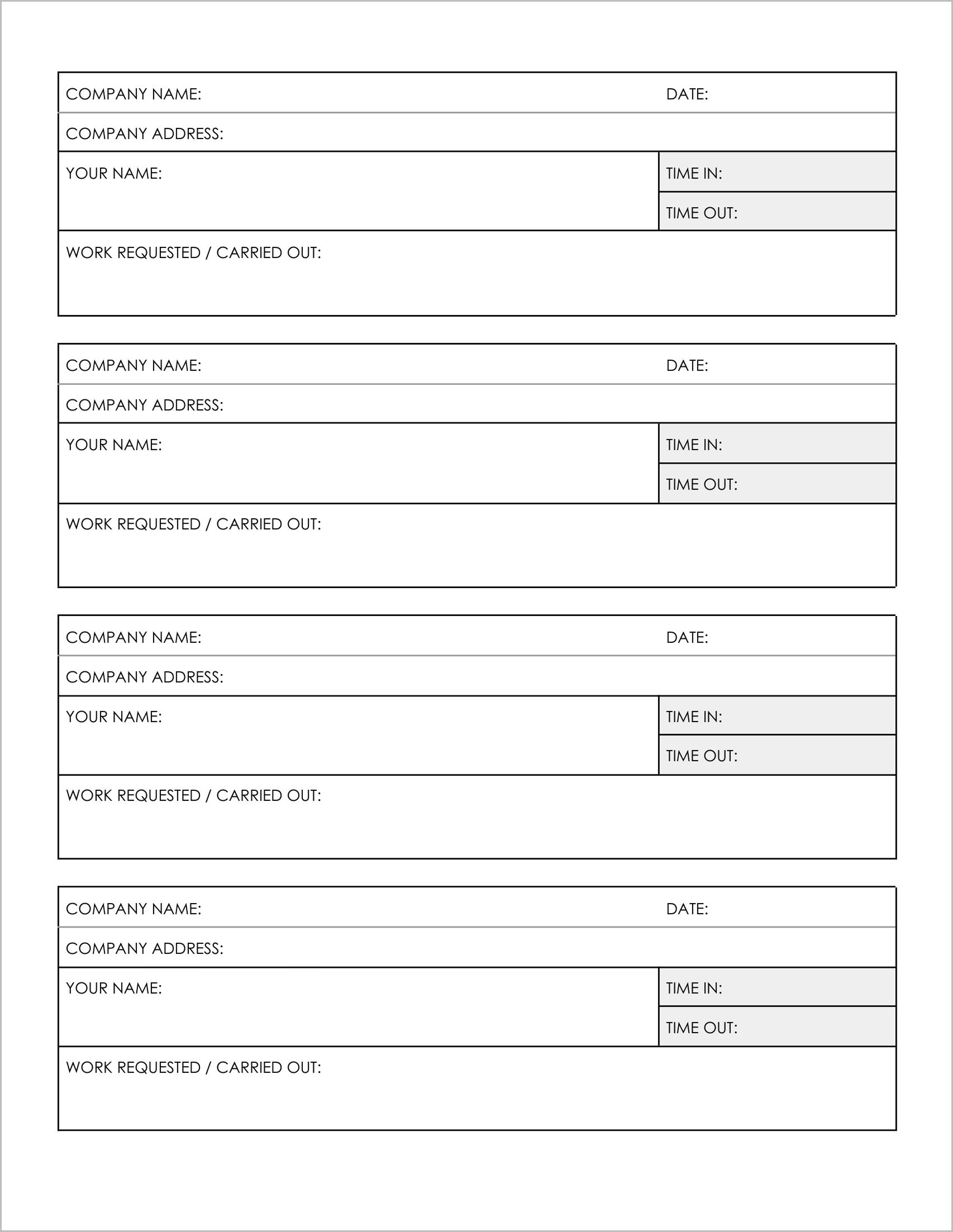
This layout is designed for major service calls where you need detailed vendor information.
- Detailed Blocks: The page features 4 large entry blocks.
- Company Data: It explicitly asks for the “Company Address” along with the name, which is useful for billing and vendor verification.
- Job Description: It includes a large field for “Work Requested / Carried Out”, allowing for a more detailed explanation of the service than a standard line-item log.
5. Contractors Signing In and Out Log Template-5
Best for: High-volume monthly tracking.
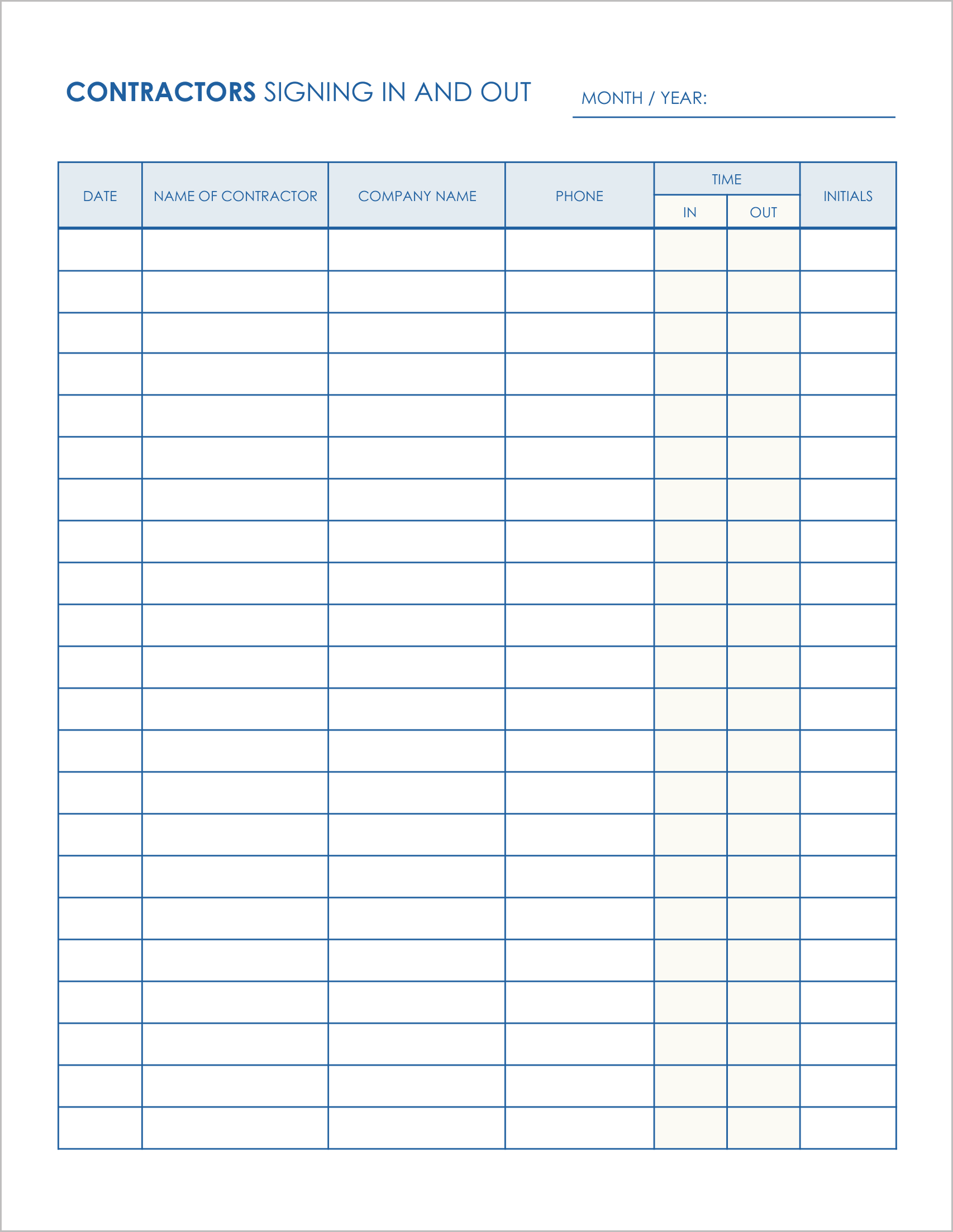
This is the standard “Sign-In Sheet” used by most busy front desks.
- Monthly View: The header tracks “Month/ Year”, making it easy to file these logs chronologically.
- Essential Data Only: It strips away the complex address fields and focuses on the basics: “Name of Contractor,” “Company Name,” “Phone,” and “Time In/Out”.
- Fast Entry: The simple list format allows contractors to sign in quickly without holding up the line.