
Owning a home is a rewarding investment, but keeping up with the repairs can feel like a full-time job. From changing HVAC filters to fixing leaky faucets, the list of tasks never ends. If you don’t track what you have done, you risk neglecting critical maintenance or losing track of expensive contractor work.
Whether you are a homeowner trying to boost resale value, a landlord managing multiple units, or a renter protecting your deposit, you need a system. We have curated a bundle of 5 Free Printable Home Maintenance Log Templates to help you organize your house records.
These PDF forms act as a DIY “Home Maintenance Log Book,” covering everything from simple repair lists to detailed renovation planning with cost tracking.
Below is a guide to the 5 unique layouts included in this free download.
1. The Contractor Service Record
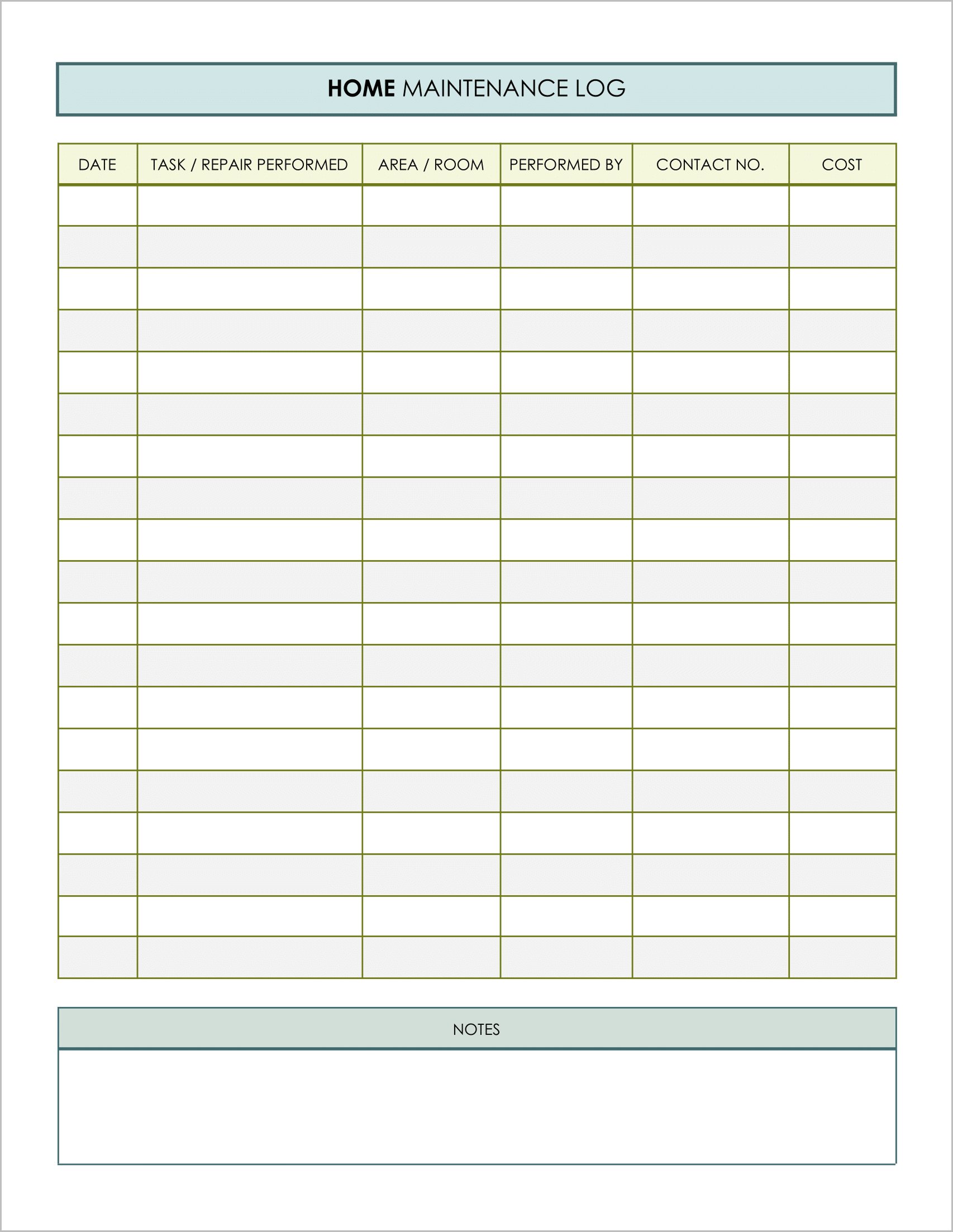
Best for: Tracking repairs done by professionals.
When you hire a plumber or electrician, you need to know exactly who did the work and how to reach them again if the problem returns. This template is designed as a classic service log.
- Contractor Details: It features specific columns for “Performed By” and “Contact No.”, ensuring you always have the tradesperson’s number handy.
- Cost Tracking: A dedicated “Cost” column helps you track your spending on outsourced labor over time.
- Area Focus: The “Area/Room” column helps you sort repairs by location (e.g., “Kitchen Sink” vs. “Master Bath”).
2. The Warranty & Receipt Tracker
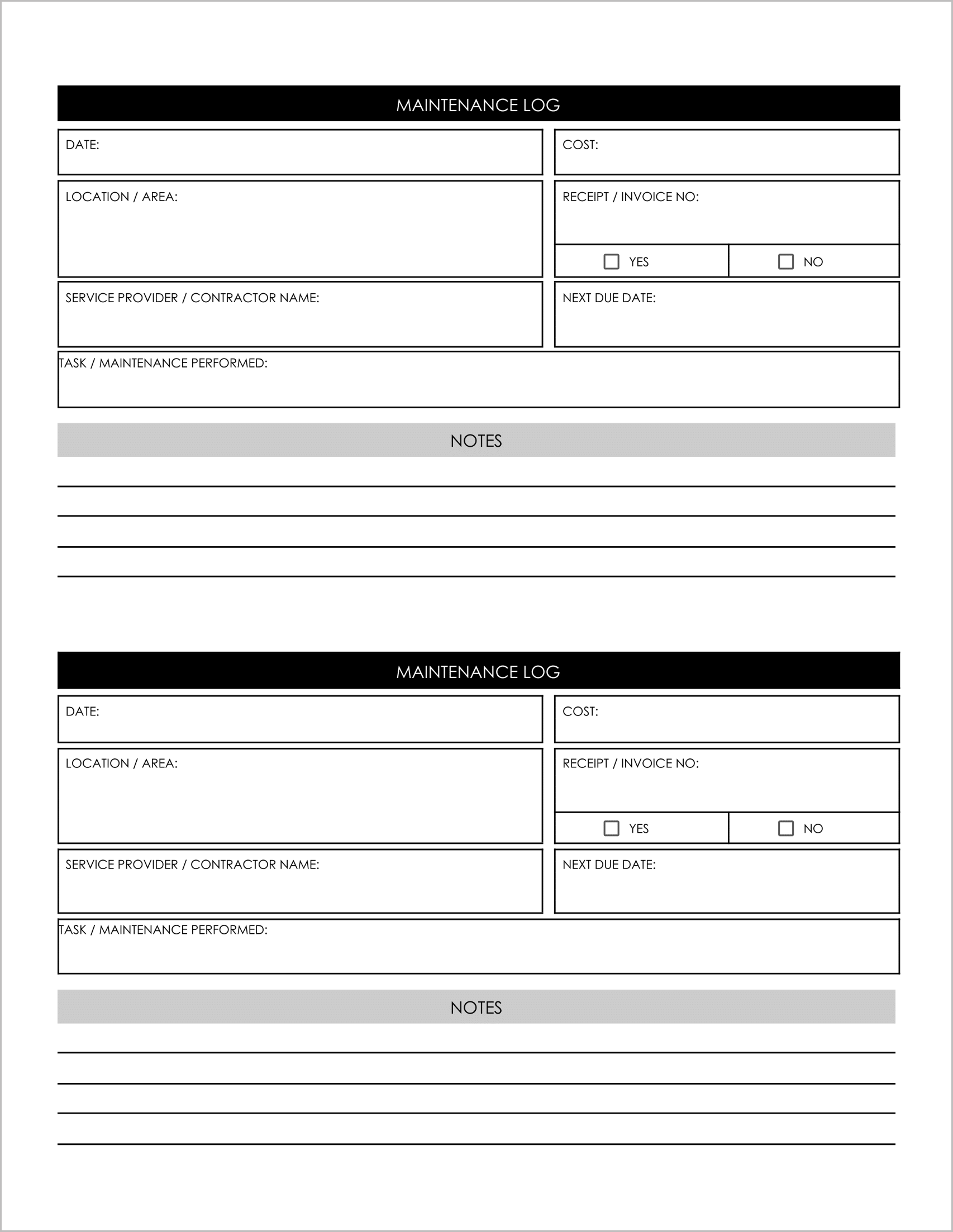
Best for: Major appliance repairs and warranty claims.
This is the most detailed template in the bundle, designed for deep record-keeping. It uses a block format rather than a simple list, giving you more room for details.
- Proof of Purchase: It explicitly asks for the “Receipt/Invoice No” and includes a “Yes/No” checkbox to confirm you have filed the paperwork .
- Future Planning: It includes a “Next Due Date” field, which is critical for recurring tasks like servicing a water heater or sealing a driveway.
- Service Provider Info: Large fields for the “Service Provider / Contractor Name” allow you to write down company names and account numbers.
3. The Prioritized Repair Planner
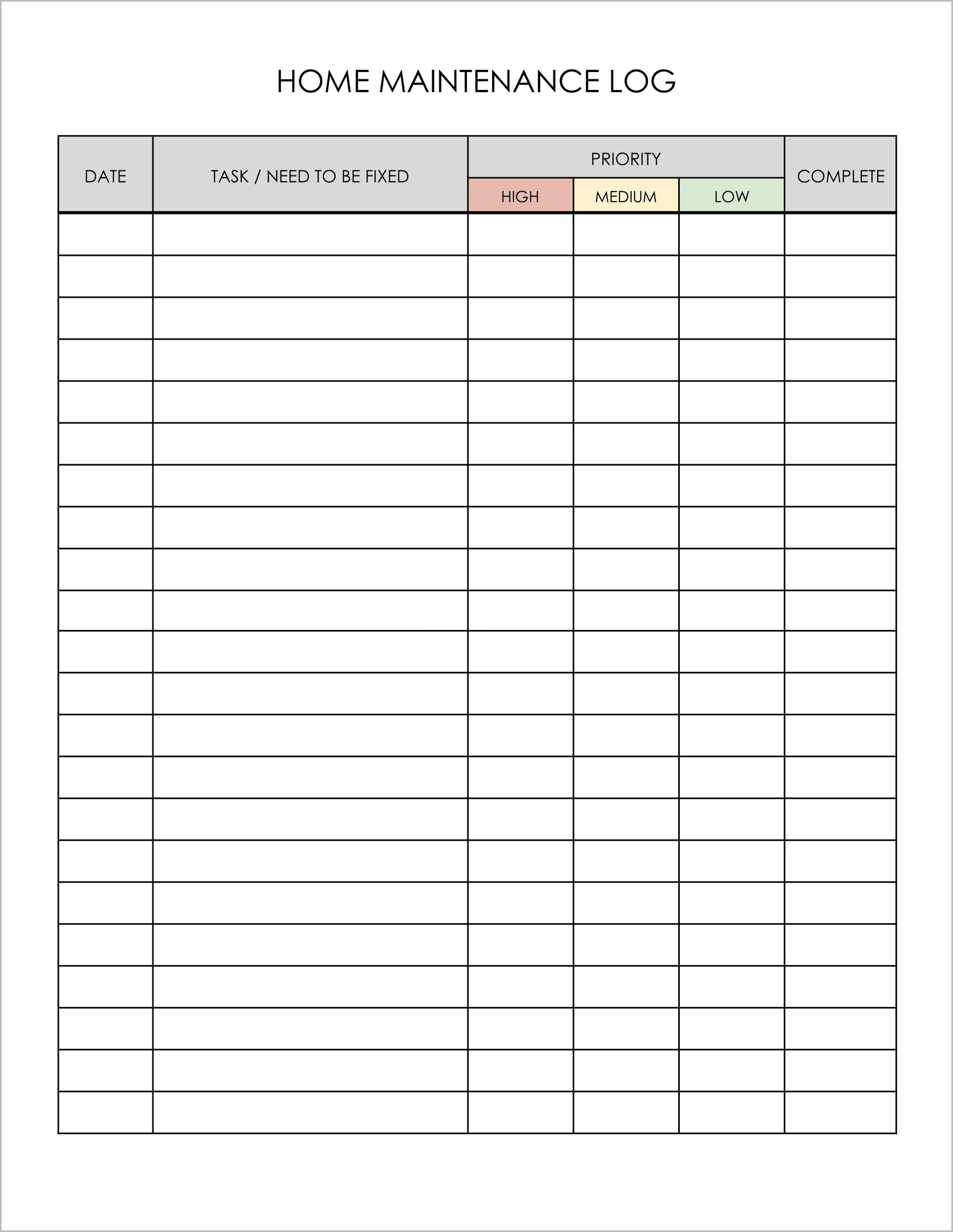
Best for: Creating a “Honey-Do” list and organizing tasks.
Sometimes the sheer volume of repairs is overwhelming. You need to triage. This template is designed to help you prioritize what needs to be fixed first.
- Priority Levels: It replaces standard checkboxes with a “Priority” section, allowing you to mark tasks as High, Medium, or Low.
- Contact Directory: Page 2 includes a dedicated “Important Contact Lists” table , turning this log into a complete home management binder where you can store numbers for your pest control, roofer, and handyman.
- Task Management: The column is labeled “Task/Need to be Fixed”, focusing on upcoming work rather than just past history.
4. The Preventive Maintenance Schedule
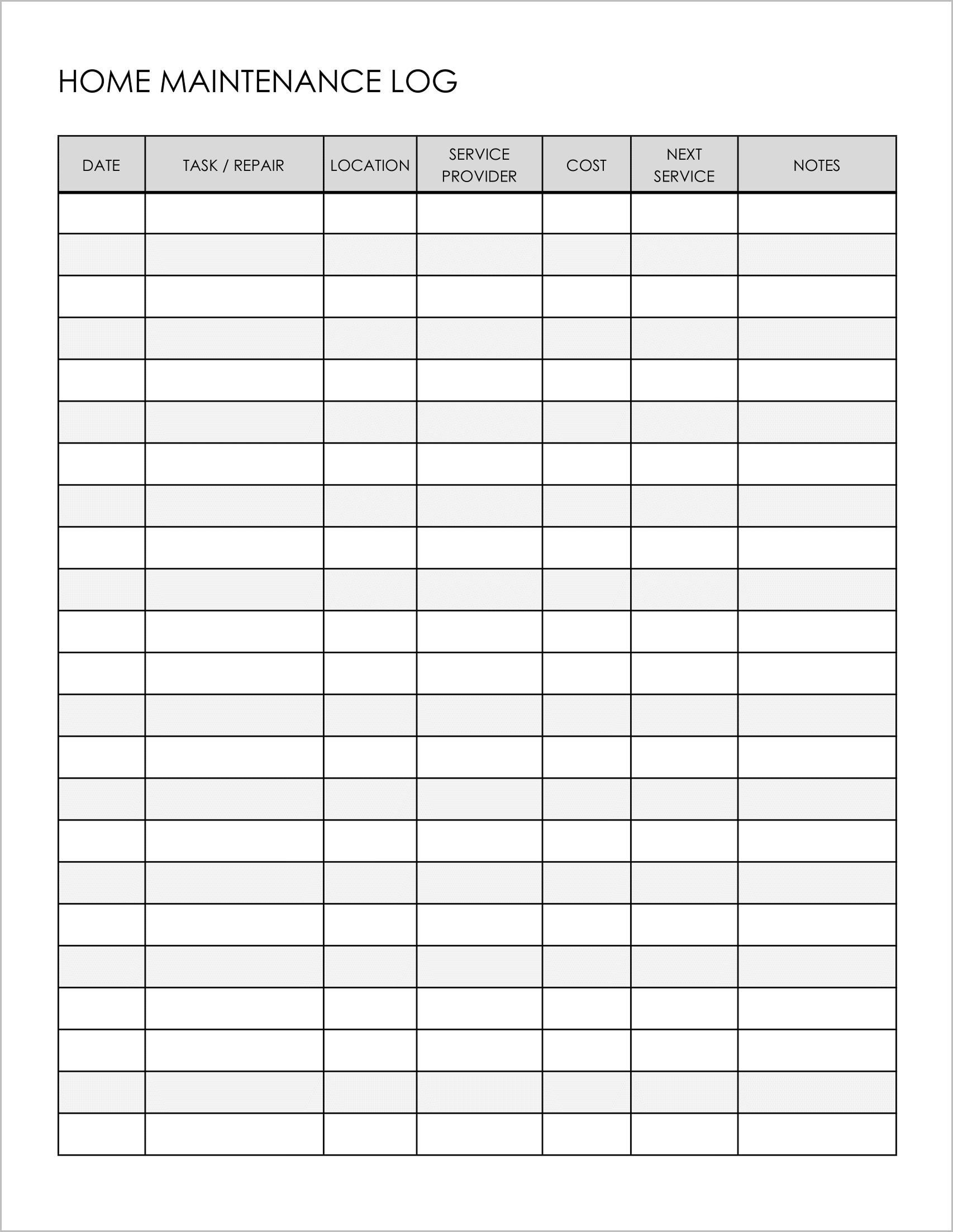
Best for: Routine upkeep and property management.
This template is a balanced log that bridges the gap between a to-do list and a history record. It is perfect for tracking recurring maintenance items.
- Cycle Tracking: It features a “Next Service” column right next to the cost. This is essential for items like furnace filters, gutter cleaning, or smoke detector batteries.
- Location Sorting: The “Location” column allows property managers to track maintenance across different units or floors.
- Comprehensive View: It fits 7 columns across the page, giving you the most data density of any template in the bundle.
5. The Renovation Visualizer
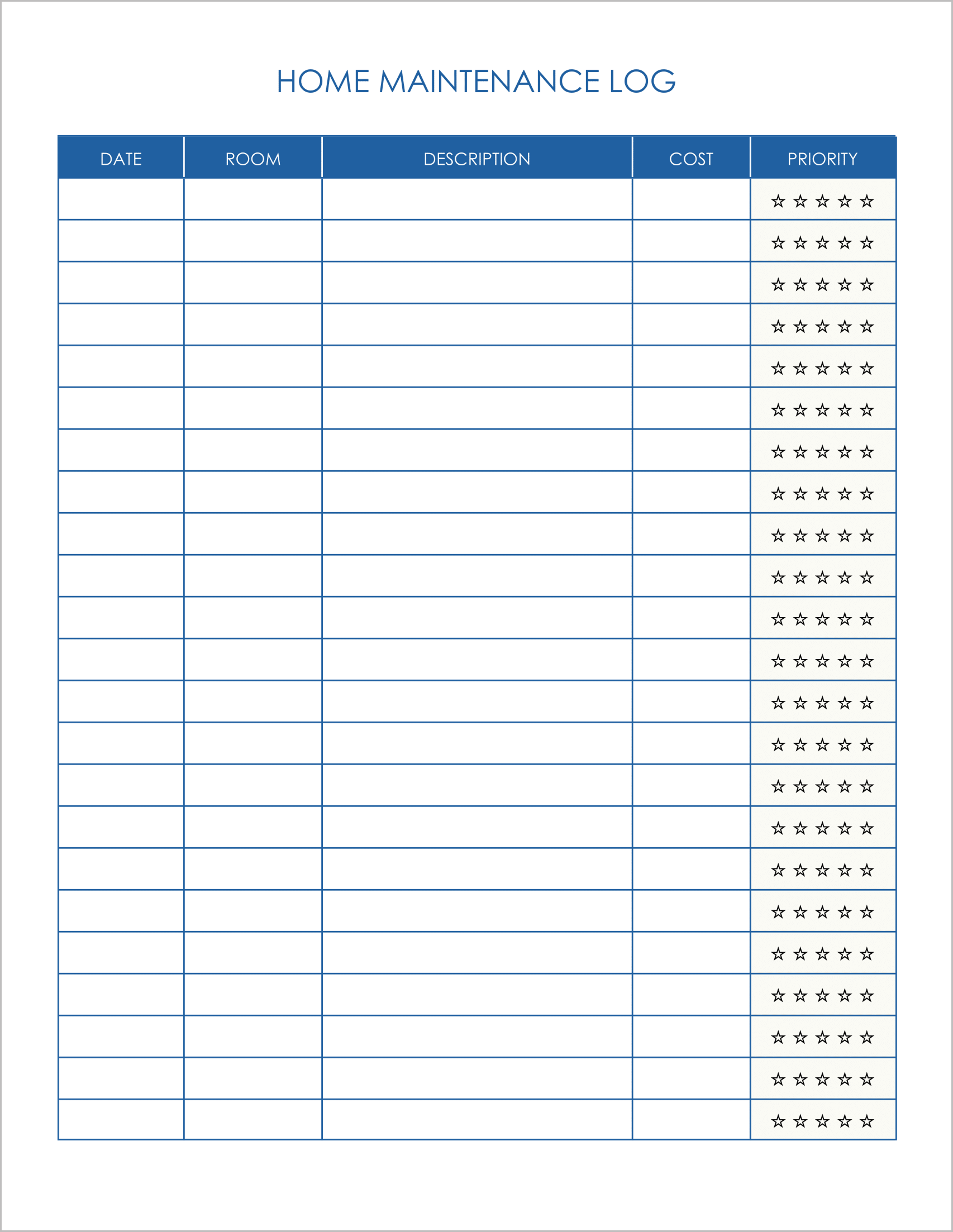
Best for: Home improvement projects and renovation planning.
This is a unique, visual template designed for homeowners planning upgrades. Instead of just boring text, it uses a visual rating system.
- Star Rating Priority: Uniquely, the “Priority” column uses a 5-star rating system (☆☆☆☆☆). You can shade in the stars to visually indicate how urgent or expensive a renovation project is.
- Room-by-Room Breakdown: It focuses on “Room” and “Description”, making it ideal for planning a remodel (e.g., “Kitchen – New Backsplash”).
- Simple Cost Log: Keeps the financial aspect straightforward so you can budget for future upgrades.